

How-to1 min read·Updated Nov 2, 2026
Create an owner and assign their properties
Owners page: profile, management fee, bank details and the properties you manage for them.
Owner portal feature
Available from the Basic plan (OMR 39.00). Sign in to your agency to see whether your plan includes it.
BasicProfessionalUltimate
Requires permission
agency.owners.createOwners are the landlords whose properties you manage. Setting them up correctly makes owner statements, payouts and the owner portal work automatically.
- Open Owners and press New owner. Choose individual or company and fill the contact details and preferred language.
- Set the management fee: a percentage of collected rent or a fixed monthly amount. Properties can override it.
- Enter bank details (bank, IBAN) used on payout advices.
- In Properties, tick the properties this owner holds. Co-owned properties can be split by percentage.
- Save. The owner page shows their portfolio, income, expenses and a Statements tab.
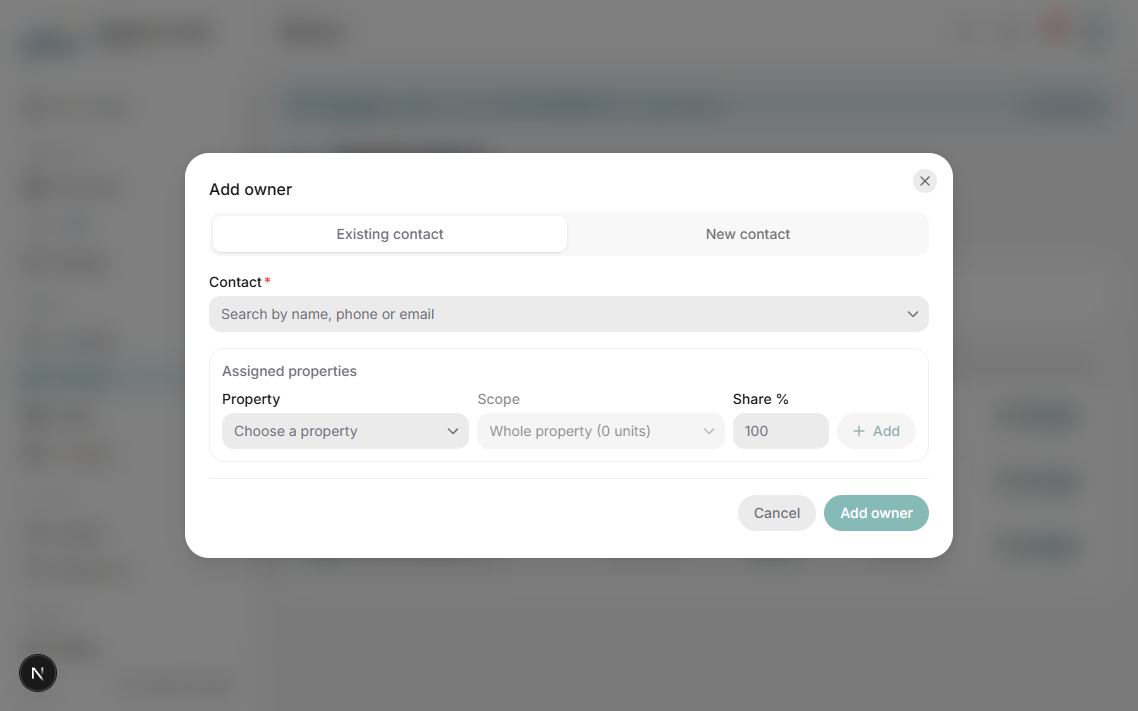
Your plan has an owners limit; the Owners page header shows usage. Extra owners can be billed as overage depending on the plan.
Was this article helpful?
Related articles
Invite an owner to the owner portalHow-toBasicWhatsApp login link or emailed credentials; what owners can see once inside.1 min readGenerate owner statements and payoutsHow-toBasicMonthly statement per owner: collections, expenses, fees and net payout — PDF plus transfer.1 min readOwner portal overviewOverviewBasicWhat an owner sees: only their properties, in view-only mode, on any device.1 min read