

How-to1 min read·Updated Nov 2, 2026
Staff profiles and HR records
Keep employment details, documents, salary structure and leave allowances on each staff member.
Payroll & HR feature
Available from the Professional plan (OMR 89.00). Sign in to your agency to see whether your plan includes it.
BasicProfessionalUltimate
Requires permission
agency.staff.editStaff lists everyone on the payroll — users with a login and employees without one (drivers, cleaners). Each profile has:
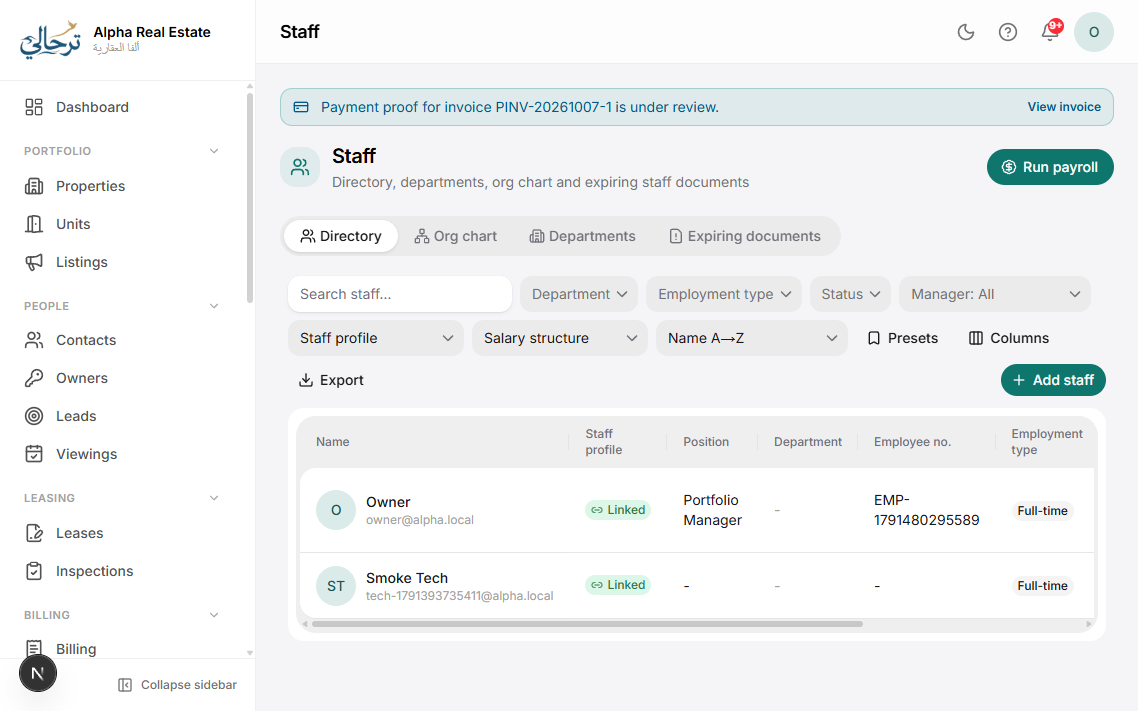
- Employment: job title, department, joining date, contract type, probation end, manager.
- Documents: ID, passport, visa/residency, labour card, with expiry alerts.
- Salary: the current salary structure and its history (see Salary structures).
- Adjustments: bonuses, deductions, loans and advances recorded any time — they wait for the next payroll run.
- Leave: allowances (default or special) and balances.
- Payslips: every payslip issued.
Staff with a login see their own profile, payslips and leave under Staff → My HR.
Was this article helpful?
Related articles
Salary structures, bonuses and deductionsHow-toProfessionalDefine basic pay and allowances per staff member, and record one-off bonuses, deductions, loans and advances.1 min readLeave requests, approvals and allowancesHow-toProfessionalDefault and special leave allowances, staff requests from the portal, edit-then-approve, and payroll impact.1 min readInvite your team and assign rolesHow-toAdd users, pick a role for each, and understand what the built-in roles can do.1 min read