

How-to1 min read·Updated Nov 2, 2026
Sale contracts and payment plans
Create a sale contract with instalments, generate the bilingual contract and track collections to transfer.
Sales & reservations feature
Available from the Basic plan (OMR 39.00). Sign in to your agency to see whether your plan includes it.
BasicProfessionalUltimate
Requires permission
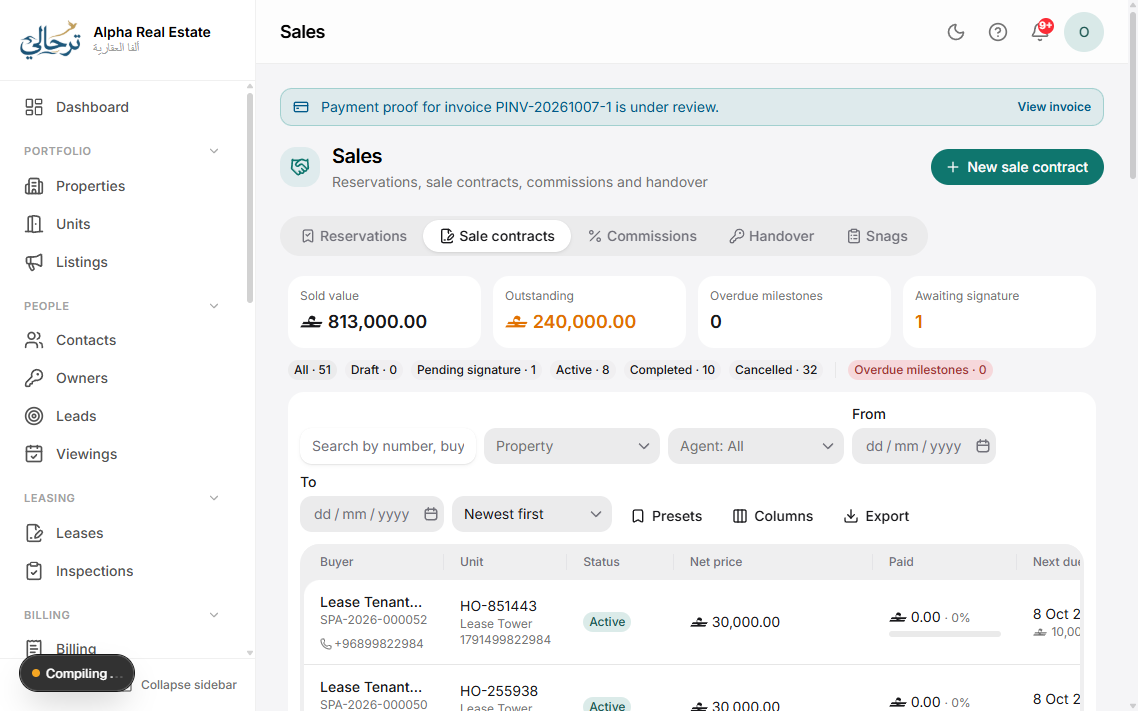
agency.sale_contracts.create- Sales → New sale: unit, buyer, seller (the owner), price, and the payment plan — down payment, instalments by date or by construction milestone, and the completion payment.
- Add fees (registration, agency fee, service charges) and who pays each.
- Generate the contract from a Sale template (Settings → Templates) — bilingual, with your editable clauses. Send for e-signature or print.
- Each instalment becomes an invoice with reminders. The Sales page shows collected vs. remaining for every deal.
- When fully paid and registered, press Complete: unit status becomes Sold, the handover is scheduled, and commissions are released.
Changing the price after instalment invoices are issued requires agency.sale_contracts.edit_active and creates an adjustment note; issued invoices are not rewritten.
Was this article helpful?
Related articles
Reserve a unit for a buyer or tenantHow-toBasicHold a unit with a booking fee and expiry; convert to a lease or sale, or release it.1 min readAgent commissionsHow-toProfessionalDefine commission rules per agent or deal, approve them and pay through payroll or directly.1 min readUnit handover and snag listsHow-toProfessionalSchedule the handover, walk through with the buyer, log snags with photos and sign the handover report.1 min readSend a contract for electronic signatureHow-toProfessionalTenants sign on their phone; the signed PDF is stored with an audit trail.1 min read