

How-to1 min read·Updated Nov 2, 2026
Document templates and the AI writer
Edit contract, notice and letter templates in both languages with variables, clauses and AI help.
Requires permission
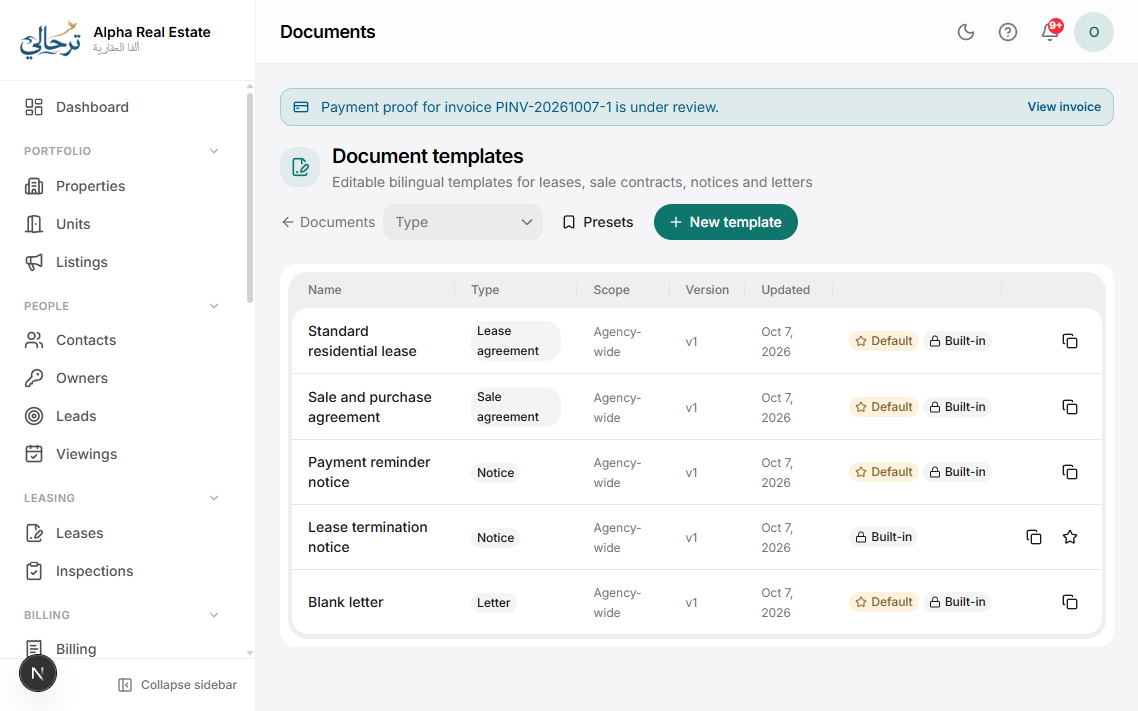
agency.templates.editSettings → Document templates holds the text of every generated document: residential and commercial lease, sale contract, renewal addendum, termination notice, payment reminder letters, handover report, NOC letters and more. Each template has an English and an Arabic body that are edited side by side.
- Variables: insert from the sidebar — {{tenant.name}}, {{unit.full_name}}, {{lease.rent}}, {{lease.start_date}}… They are replaced when the document is generated.
- Clauses: optional blocks that can be switched on per lease (pets, parking, early termination).
- AI writer: ask it to draft a clause, make wording formal, translate the English to Arabic (or vice-versa) keeping variables intact, or check for missing standard clauses. Changes are proposed as a diff you accept or reject.
- Versions: every save keeps a version; existing contracts keep the version they were generated with.
Duplicate a system template before heavy edits so you can always compare with the original.
Was this article helpful?
Related articles
Edit contract terms and clausesHow-toMaintain bilingual clause templates per contract type and override them per lease.1 min readChoose PDF templates and stylesHow-toProfessionalPick a layout and colour style for invoices, receipts, contracts, statements and payslips — with live preview.1 min readThe AI assistantOverviewBasicAsk questions about your data, draft messages, summarise records and get help — in Arabic or English.1 min read