

How-to1 min read·Updated Nov 2, 2026
Choose PDF templates and styles
Pick a layout and colour style for invoices, receipts, contracts, statements and payslips — with live preview.
PDF template styles feature
Available from the Professional plan (OMR 89.00). Sign in to your agency to see whether your plan includes it.
BasicProfessionalUltimate
Requires permission
agency.settings.documentsEvery PDF Boyoti produces is bilingual (Arabic and English on the same page) and branded with your logo and colours. In Settings → Templates choose, per document type, a layout (classic, modern, compact, formal…) and a style (colour palette and typography). The preview on the right updates instantly with sample data.
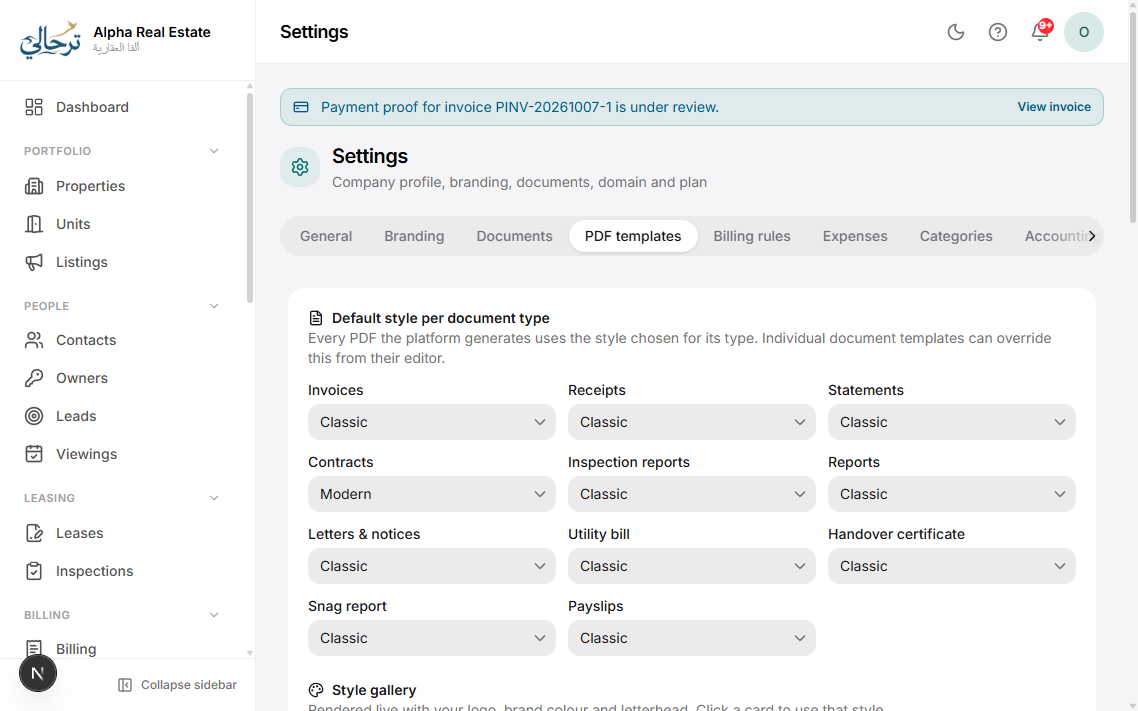
- Document types: invoice, receipt, credit note, lease contract, sale contract, owner statement, deposit statement, inspection report, handover report, payslip.
- Options per type: show/hide QR code for verification, bank details block, signature lines, terms footer, watermark for drafts.
- Press Download sample to check print quality before switching.
On entry plans a single layout is available; additional layouts and styles unlock with the pdf_templates feature.
Was this article helpful?