

How-to1 min read·Updated Nov 2, 2026
Schedule a viewing
Book a unit visit for a lead, assign an agent and send confirmations and reminders.
Leads & viewings (CRM) feature
Available from the Basic plan (OMR 39.00). Sign in to your agency to see whether your plan includes it.
BasicProfessionalUltimate
Requires permission
agency.viewings.create- From a lead press Schedule viewing, or open Viewings and press New viewing.
- Select the property and the unit (required), date, time and duration.
- Choose the agent who will attend and an optional meeting point / notes for the client.
- Save. The lead receives a WhatsApp/email confirmation in their language and a reminder before the appointment, if those notifications are enabled.
- After the visit, open the viewing and record the outcome and feedback — this moves the lead's stage automatically.
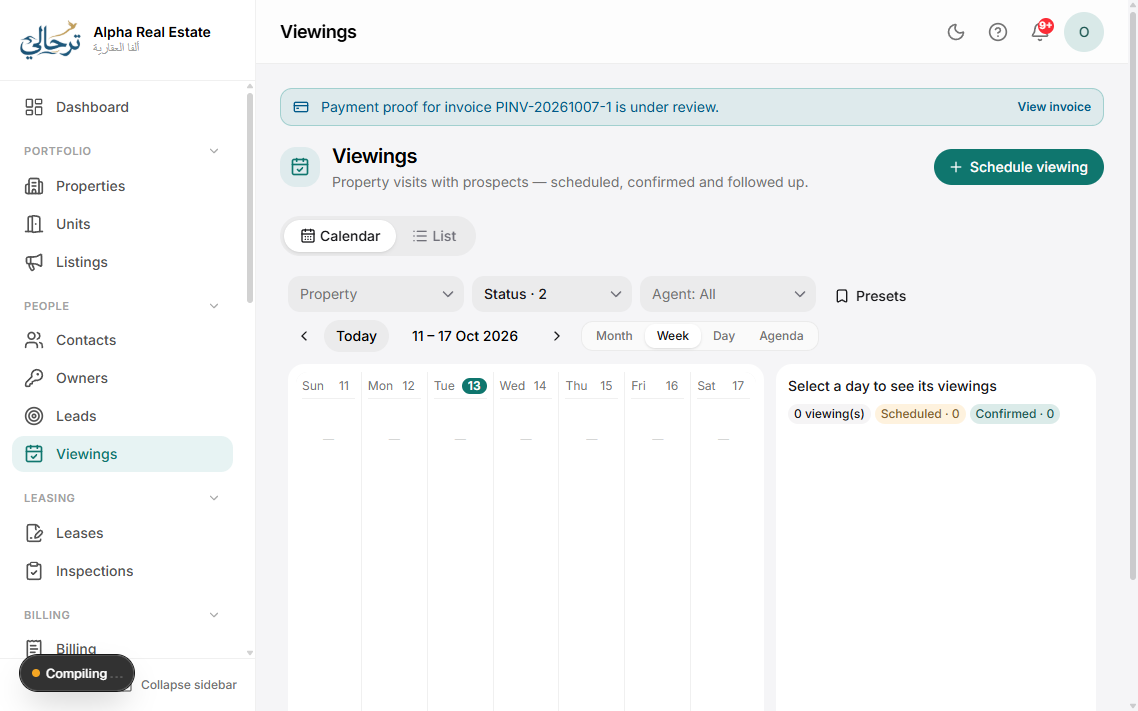
Viewings appear in the calendar view (day/week), on the agent's home dashboard and in their personal iCal feed so they sync to phone calendars.
Group viewings: schedule several units for the same lead back-to-back; the confirmation message lists them all.
Was this article helpful?