

How-to1 min read·Updated Nov 2, 2026
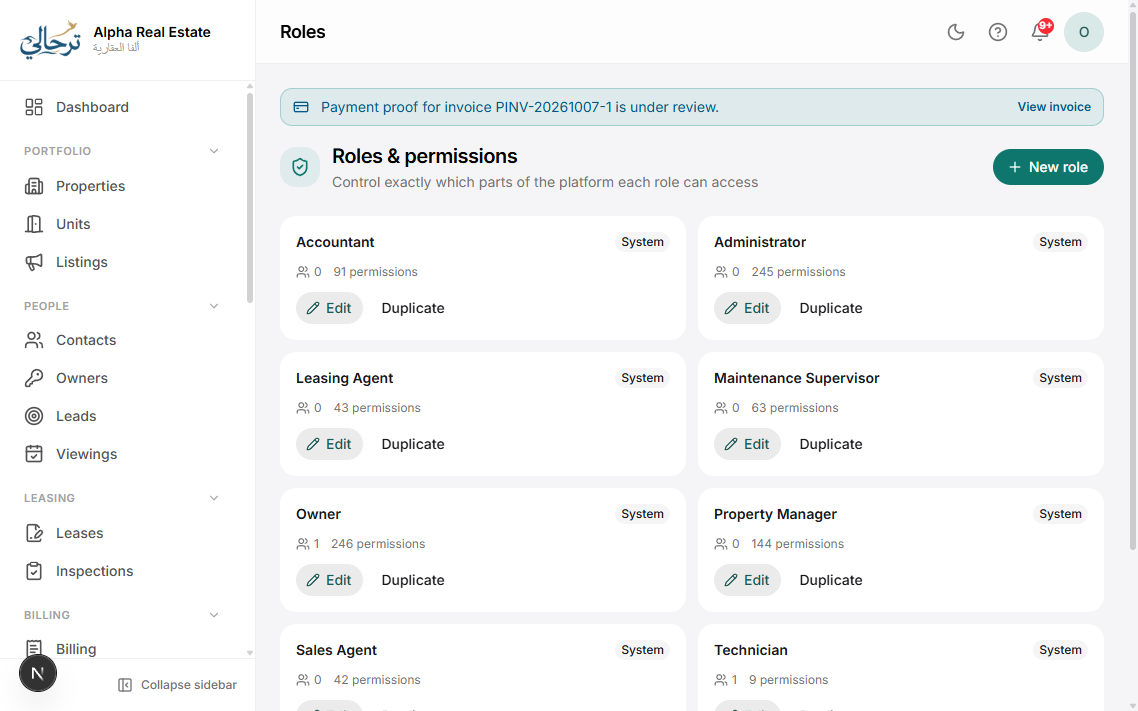
Create a custom role
Build a role with exactly the permissions a job needs, then assign it to users.
Requires permission
agency.roles.create- Open Settings → Team → Roles and press New role — or Duplicate on the closest built-in role.
- Name it in both languages and add a description.
- Tick permissions in the matrix. Rows are modules, columns are actions; use the row header to select all actions of a module, and the group header to toggle a whole group.
- Press Save. Assign it from Settings → Team → Users → user → Role. The change applies at the user's next request — no re-login needed.
Follow least privilege: start from Viewer and add only what the job requires. Sensitive actions (void payments, unpay payroll, delete, export, view_sensitive) deserve a second look.
Was this article helpful?