

Concept1 min read·Updated Nov 2, 2026
Usage limits and overage
Metered items (WhatsApp, AI, owners, storage…), how overage is priced and how to monitor usage.
Requires permission
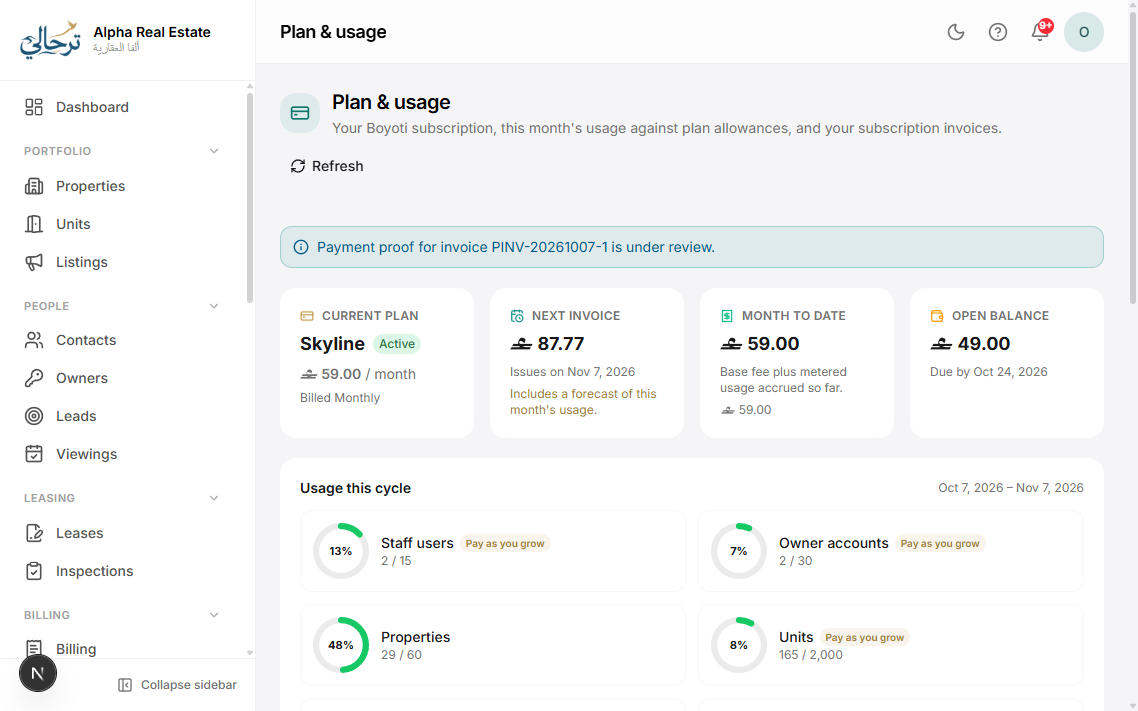
agency.settings.billingSome resources are metered monthly. Your plan includes an allowance for each; when you exceed it, the extra is billed as overage on your next Boyoti invoice at the rate shown on the pricing page — or, for hard limits, you are asked to upgrade.
| Meter | Type | What counts |
|---|---|---|
| WhatsApp messages | Overage | Each outbound template message (notifications, reminders, campaigns). |
| AI tokens | Overage | Assistant, listing copy, OCR, template writer — input and output tokens. |
| Owner accounts | Overage | Active owner portal accounts (unlimited on the top plan). |
| Units | Hard limit | Active units in your portfolio. |
| Users | Hard limit | Staff logins (not clients/owners). |
| Storage | Overage | Documents, photos and generated PDFs. |
| Included | Fair-use; campaigns are rate-limited. |
Settings → Plan → Usage shows every meter with a progress bar, this month's consumption and projected overage. You can set an alert threshold (e.g. 80%) so admins are notified.
Overage can be capped: toggle “Stop at limit” on a meter to pause the feature instead of incurring charges.
Was this article helpful?
Related articles
Plans and featuresConceptHow features are gated by plan, what the badges in this help centre mean and how to compare plans.1 min readWhat is included in the free trialConceptTrial duration, caps on WhatsApp and AI during trial, and what happens when it ends.1 min readUpgrade, downgrade or cancelHow-toChange plan any time; proration, billing cycle, payment methods and Boyoti invoices.1 min read